

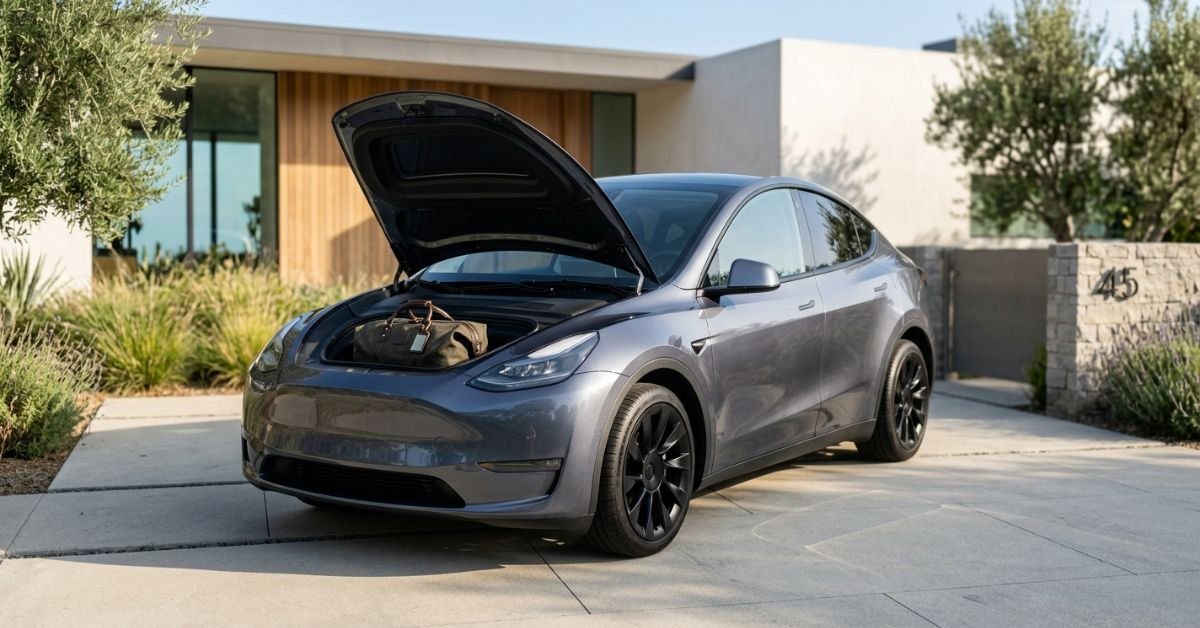
Opening a Tesla frunk is simple once you know where the command lives. Unlike a conventional hood, most Tesla vehicles use the touchscreen, Tesla mobile app, key fob, or phone key to release the front trunk latch. The exact options depend on the model, model year, software, and market.
This guide explains how to open a Tesla frunk safely, how to close it without damaging the hood, what to do when the normal controls do not work, and how the procedure differs across Model 3, Model Y, Model S, and Model X.
Quick Answer
To open a Tesla frunk, put the vehicle in Park and use the touchscreen or Tesla mobile app to select the front-trunk control. On compatible vehicles, you can also double-click the frunk button on the key fob. Some newer Model S and Model X vehicles support additional phone-key or hands-free options. After the latch releases, stand at the front of the car and lift the hood carefully. Tesla’s current manuals confirm these basic methods, while available controls vary by model and software.
Tesla Frunk How to Open Using the Touchscreen

For most Tesla owners, the touchscreen is the most straightforward method today. First, make sure the vehicle is in Park. Then open the vehicle controls and select the front trunk or frunk command. The wording and location can differ between Tesla models and software versions, so use the control shown for your vehicle rather than relying on an older screenshot or tutorial.
On Model 3 and Model Y, Tesla’s current manuals describe an Open icon for the front trunk. Model S and Model X manuals use a Frunk control within the touchscreen controls. Once the command is selected, the electronic latch releases. You then move to the front of the vehicle and raise the hood manually.
Before lifting the hood, look around the entire front area. Keep hands, tools, children, pets, and other objects clear of the hood and its hinges. Tesla specifically warns owners to check for obstacles before opening or closing the hood because careless operation can cause injury or vehicle damage.
Open the Tesla Frunk With the Mobile App
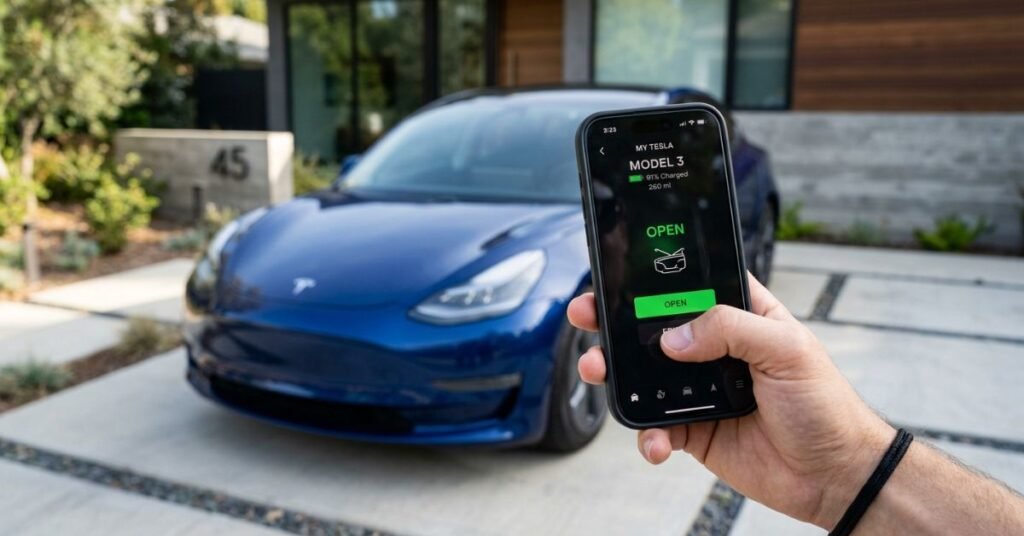
The Tesla mobile app is useful when you are standing away from the car or want to prepare the cargo area before loading something. Open the app, select the correct vehicle, and use the control for the front trunk. The vehicle must be able to receive the command, so connectivity and the car’s current state can affect whether the request works immediately.
After the latch releases, walk to the front and lift the hood. The app does not replace the physical movement of raising the hood on models where the frunk opens manually.
Use a Tesla Key Fob
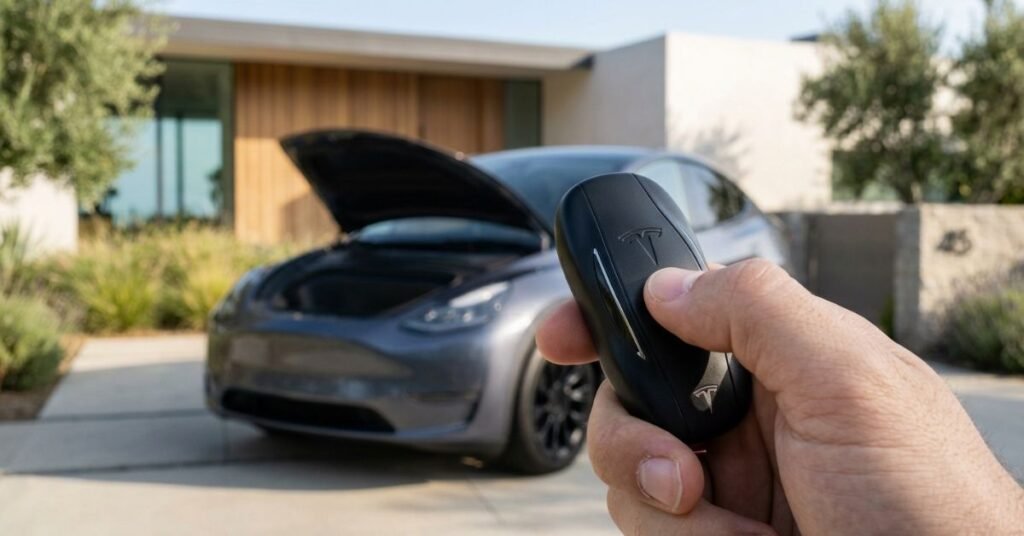
If your Tesla uses a compatible key fob, you can open the frunk without touching the touchscreen. Tesla manuals for several models specify double-clicking the front trunk button on the key fob. The exact button layout depends on the fob design, so identify the front-trunk button for your vehicle before trying it.
Press the button twice in quick succession. When the command is accepted, the hood latch releases. Walk to the front and lift the hood carefully. Tesla lists key-fob frunk operation for Model 3, Model Y, Model S, and Model X documentation, although available features vary by vehicle generation.
Can You Open a Tesla Frunk With a Phone Key?
Phone-key functionality varies by Tesla model and software. A phone key normally allows the vehicle to recognize an authorized smartphone, but that does not mean every Tesla provides the same frunk-opening command through proximity alone.
Current Model S and Model X documentation includes additional phone-based methods. Compatible vehicles may allow the phone key to be used near the Tesla emblem beneath the front trunk, while certain configurations support hands-free frunk operation using Ultra Wideband technology. Availability depends on the vehicle, phone, Tesla app, and software.
Hands-free convenience is useful when your hands are full, but treat it like any powered or automated opening feature. Check the hood’s surroundings before approaching and monitor its movement. Tesla also warns against leaving an authenticated smartphone inside a frunk on vehicles where proximity features could cause unexpected behavior.
Model 3: How to Open the Frunk
For current Model 3 documentation, the basic process is straightforward: place the car in Park, choose the front-trunk Open icon on the touchscreen, double-click the front-trunk key-fob button if equipped, or use the front-trunk control in the Tesla mobile app.
Once released, lift the hood from the front. If it feels stuck, do not force it. A latch that does not release may indicate that the command was not received or that there is a mechanical issue requiring attention.
When closing a Model 3 frunk, Tesla says the hood is not designed to latch safely simply by dropping it under its own weight. Follow the closing method in the owner’s manual for your specific model year. Applying pressure in the wrong area can damage or crease the hood.
Model Y: How to Open the Frunk
Model Y uses a similar electronic release. Tesla’s current manual instructs owners to place the vehicle in Park and then use the touchscreen Open icon, a compatible key fob, or the Tesla mobile app.
Model Y has changed across generations and markets, so do not assume every older or newer vehicle has identical controls. Tesla’s owner manuals are the best reference for the exact configuration and software version installed in your vehicle. Tesla maintains separate manuals for different model years and regions, reinforcing the need to check the documentation for the specific car.
Model S and Model X Frunk Controls
Model S and Model X offer more opening choices on compatible configurations. Tesla documentation lists touchscreen controls, the mobile app, and key-fob operation. Current Model S and Model X manuals also describe phone-key interaction beneath the front trunk and hands-free frunk functionality on supported vehicles.
For hands-free operation, compatible phones and app versions are required, and Ultra Wideband support may be necessary. Tesla provides specific requirements in its manuals, so check your vehicle’s current documentation before assuming your phone supports the feature.
Tesla Frunk Won’t Open: What to Check
A Tesla frunk that does not open is usually easier to diagnose if you work through the simplest possibilities first.
1. Confirm the Car Is in Park
Tesla’s normal frunk-opening procedure requires the vehicle to be in Park. Select Park and try the command again.
2. Try Another Opening Method
If the touchscreen does not respond, try the Tesla mobile app or compatible key fob. If one method works while another fails, the problem may be related to connectivity, the phone, or the particular control rather than the hood latch itself.
3. Check Phone and App Connectivity
If you are using the app or phone key, confirm that the phone has connectivity and that the Tesla app is updated. Bluetooth, permissions, account access, and phone-key status can affect phone-based functions.
4. Do Not Pry the Hood Open
Avoid inserting tools into gaps around the hood or forcing the panel upward. Improvised methods can damage paint, trim, seals, latches, wiring, or body panels.
If multiple authorized methods fail, consult Tesla support or the appropriate service information for your model. The correct procedure for a no-power situation can differ significantly between vehicles and should not be guessed.
What If the Tesla Has No Low-Voltage Power?
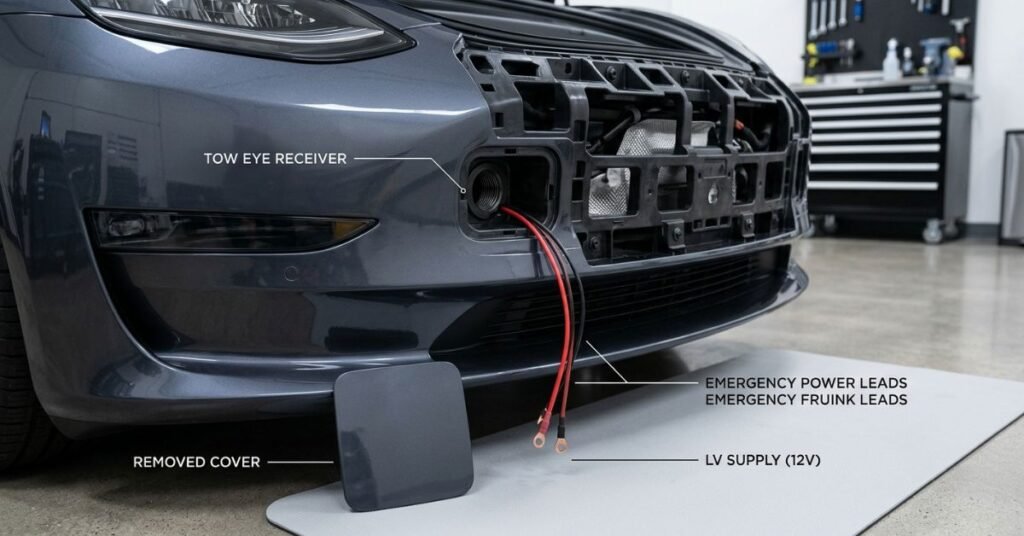
A completely unpowered Tesla requires a different procedure. The normal touchscreen, mobile-app, and key-fob controls may not be available because the vehicle cannot operate the electronic latch.
Tesla provides model-specific emergency procedures for accessing the front trunk when low-voltage power is unavailable. These can involve supplying temporary low-voltage power through designated external terminals or other prescribed access points. The locations and instructions are not universal. For example, Tesla publishes a specific no-power hood procedure for Model X.
This is one situation where following the exact owner’s manual matters. Do not randomly connect a battery, jump starter, or charger to exposed wires or components. Incorrect connections can cause electrical damage or personal injury. If you are unsure, Tesla roadside assistance or a qualified technician is the safer option.
How to Close a Tesla Frunk Safely
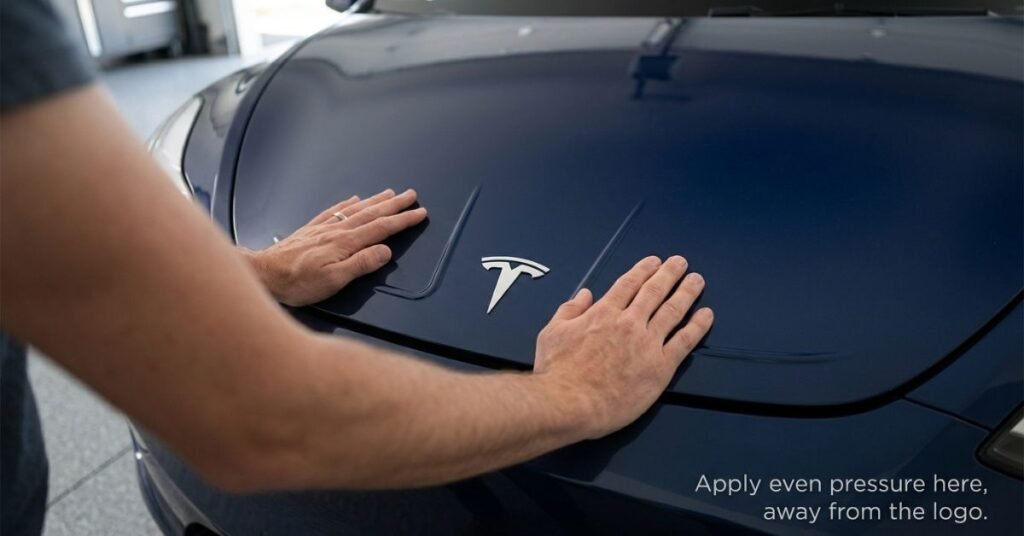
Closing the frunk deserves as much attention as opening it. Tesla’s manuals warn that the hood may not be heavy enough to latch correctly under its own weight. On several models, owners are instructed to lower the hood until the striker contacts the latches and then apply pressure at designated areas.
Never slam the hood. Avoid pressing on the center or front edge where Tesla’s manual specifically warns that concentrated force can cause damage. Some manuals show specific pressure areas, particularly for Model 3, Model Y, Model S, and Model X configurations.
After closing, gently check the front edge to confirm that the hood is fully latched. Do not drive with a partially closed frunk. The vehicle can display an alert when the front trunk is open, and Tesla notes that driving behavior or speed can be limited if an owner deliberately continues with it open.
Common Tesla Frunk Mistakes to Avoid
First, do not assume the hood works like a traditional spring-loaded car hood. Tesla uses electronic release systems and model-specific closing instructions. Second, do not push down randomly when closing the frunk. Concentrated pressure can dent or crease lightweight body panels. Third, do not leave an authenticated smartphone inside the frunk when proximity features are active. Tesla warns that certain phone-based functions could cause the frunk to open.
Fourth, do not overload the frunk. Load limits vary by model, so check the owner’s manual rather than applying a generic maximum.Finally, never place a person inside the frunk or shut the hood over anyone. On vehicles equipped with an interior emergency release, that feature is intended for emergency escape, not normal use.
Pros and Cons of Tesla’s Frunk Design
Pros
- Electronic opening is convenient and can be controlled from several locations.
- The frunk provides useful additional storage space.
- The mobile app can be practical when you are away from the driver’s seat.
- Some vehicles offer phone-based or hands-free options.
Cons
- Controls vary between Tesla models, generations, and software versions.
- The hood requires more careful closing than a conventional hood.
- A low-voltage power failure can make access more complicated.
- Improper pressure during closing can damage the hood.
Frequently Asked Questions
Does every Tesla have the same frunk-opening method?
No. Model 3 and Model Y generally use touchscreen, mobile-app, and compatible key-fob controls, while Model S and Model X can offer additional phone-based options. Exact features depend on model, year, software, and market.
Can I open a Tesla frunk from the app?
Yes, Tesla manuals list mobile-app frunk controls for multiple models. The vehicle must be able to receive the command, and app or connectivity problems can prevent it from working.
Do I have to be in Park to open the frunk?
Tesla’s standard opening instructions require the vehicle to be in Park. If the command does not work, confirm the vehicle’s current gear state before troubleshooting anything else.
Can I force a Tesla frunk open?
You should not pry or force the hood. Use an authorized opening method, and if the latch remains unresponsive, consult Tesla support or service guidance for your specific model.
How do I close a Tesla frunk without damaging it?
Follow the owner’s manual for your exact vehicle. Lower the hood as instructed and apply pressure only where Tesla specifies. Do not slam the hood or press randomly on the center or front edge.
Can a Tesla frunk open automatically?
Some newer Model S and Model X configurations support hands-free frunk operation with compatible phones, software, and Ultra Wideband technology. Availability is not universal.
What should I do if my Tesla has no power and the frunk is closed?
Use the model-specific emergency procedure in the Tesla owner’s manual or contact Tesla roadside assistance. Do not improvise electrical connections.
Conclusion
Learning how to open a Tesla frunk takes only a few seconds, but the correct method depends on the vehicle. For most Model 3 and Model Y owners, the touchscreen, mobile app, or compatible key fob provides the quickest route. Model S and Model X may offer additional phone-key and hands-free options.
The bigger lesson is to treat the frunk as a powered, electronically latched storage compartment rather than a conventional hood. Keep the opening area clear, avoid forcing the panel, follow the correct closing points, and use the owner’s manual when your vehicle behaves differently from the instructions above. With those habits, accessing the Tesla frunk is simple, safe, and convenient.